I’ve been on the Newfoundland Gedmatch Facebook Page for a while. I have posted some of my Blogs there. But I have never used Matchmaker there. Matchmaker is a program written by Devon at the Newfoundland Gedmatch Facebook Page. I would like to figure out how to use it.
Matchmaker
Even though I have done a lot of complicated DNA analysis, I feel intimidated by Matchmaker. Like many things, I’m sure it is easy once you do it. I have read instructions in the past, but will need to find them again. Here is the Newfoundland Gedmatch Facebook Page:
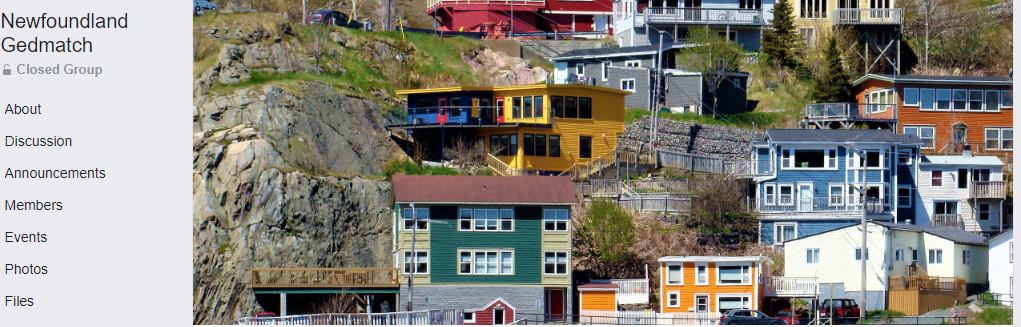
On the left of the photo I see a menu. That seems to be a good place to look. Under Announcements, I see this post by Devon:

Now I am no longer floundering in the sea of the internet. I’m not a new member, but I will want to read about the Matchmaker.
Step 2 leads me to this form:

I administer many kits that would apply. However, at least three of those kits are for people who are not on Facebook. That means I’ll use my Facebook name. My Facebook name is my first name followed by my last. That is not difficult. The first kit I want to add is my wife’s 1/2 Great Aunt Esther. She has a boatload of matches as both her parents were from Newfoundland.
That was very easy. Once I did that, I got this response:

I will just add my mother-in-law, and her sister next. I won’t add my wife as she got all her DNA from her mom.
I Submitted My Forms, Now What?
Now there are three kits in the system. What is next?

I followed this Step 3 and got these instructions:
PLEASE NOTE: This tool will NOT work on Ipad, tablet, cellphone, Microsoft Edge or Internet Explorer. Therefore you need to use Chrome, Safari, Firefox etc.
After submitting your kit(s), you will need to navigate to this link:
https://docs.google.com/
Select “Make a copy” when the page loads.
This will open the matchmaker tool.
Instructions will be listed on the “Gedmatch Results” Page (the first tab at the bottom of the sheet).
They are as follows:
– Start by running “One-to-many Matches” on your kit within your gedmatch.com account.
– When the results load, click Ctrl A on your keyboard, then the whole page will select (turn blue). Then click Ctrl C. This copies it.
– Go back to the matchmaker tool, and click Ctrl V. That will paste it. Sometimes it will take a few minutes to load as they are large files.
– Go to the “Matches” Sheet on the bottom tab, and then your matches from the group should show.
This is like one of those games where you get one instruction and it leads you to one place. Then at the next place, you get more instructions. I followed the above link and the new instructions are to “Make a copy”. As that is the only possible option, that is not too difficult. My computer thought about this for a while.
Aah, more instructions after the Make a Copy step:
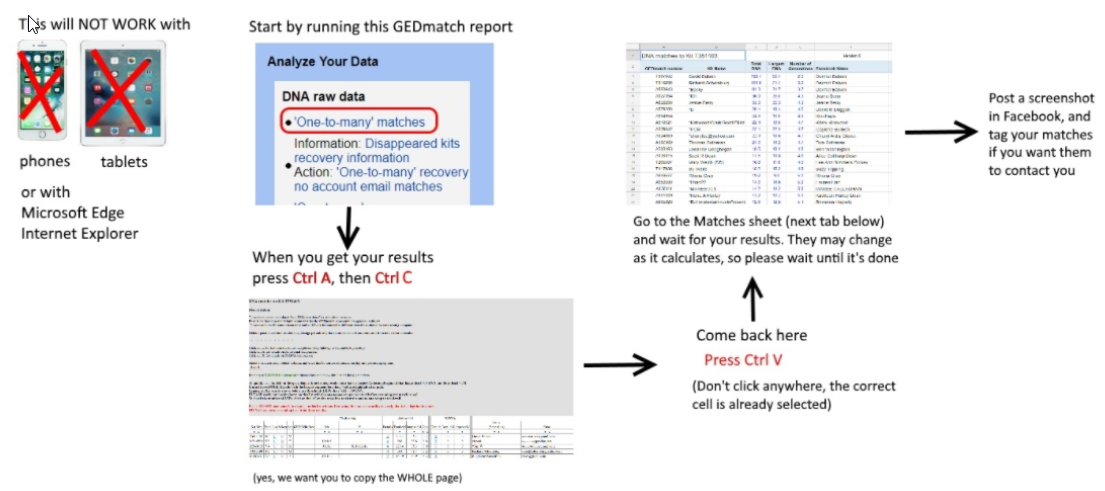
First there is a warning. OK. I suppose I should try this with Aunt Esther first. I ran the ‘One to many’ at Gedmatch and got 2,000 matches for Aunt Esther. I hope I don’t break the system. Ctrl A is choose all and Ctrl C is copy, so I did that.
Copying to Matchmaker 3
I copied my results as instructed. This put all Esther’s matches into the spreadsheet but in red letters.

This is the tab at the bottom of the sheet. The next instructions want me to click on the Matches tab.
The Matches Tab – The Meat of the Matchmaker
Here is where the fun begins. Click the Matches Tab and it narrows Esther’s matches from 2,000 to the others that have posted at Matchmaker. Esther’s matches go down to Line 84 but they start on Line 4. That must be 81 matches. I wonder how many are in Matchmaker? I know there are three more than a few minutes ago. I’ll blur out the personal stuff, which is most everything on Esther’s list of matches:
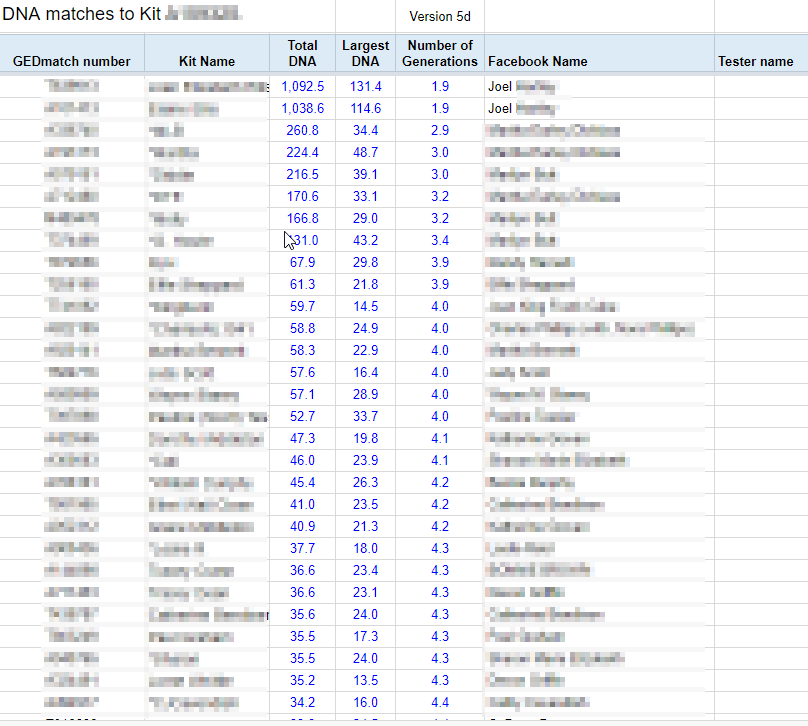
My mother-in-law Joan and her sister Elaine are already in the system at the top of the list even though I haven’t run the program for them yet. Many of these Kit names and Facebook names are familiar to me, but it will be fun to follow up on the unfamiliar ones.
Next Steps to Matchmaker Success
The instructions say post a screen shot in Facebook. The shot I posted made it down to line 32. That means that I will need to post three screen shots. I do see a lot of people doing that at the Newfoundland Gedmatch Facebook Page. I did that in three screen shots. I looked at the last two tabs which included some suggestions for updating the results. Another suggestion said to bookmark your results. Instead of that I copied the page address for Aunt Esther and copied them on a contact spreadsheet I have. A further suggestion was to tag people on Facebook. That is a good idea for getting in touch with people that I haven’t been in touch with before. That would help if they have any family history information.
Adding Joan
Joan and Elaine are important as they narrow down Esther’s matches. Joan and Elaine match their half Aunt Esther only on her father’s Upshall side. Now that I know how to do this, it should be easy.
My first step was that Make a Copy step. I think I’ll close out Esther’s spreadsheet so I don’t get confused. I copied and pasted Joan’s ‘One to Many’ matches into the Matchmaker spreadsheet. Then I checked the match tab. Joan has 36 lines of matches or 33 matches. That makes sense. Joan is one generation more recent than Esther and matches her only on Esther’s paternal side. That narrows down Joan’s matches to Esther’s paternal – mostly. I say mostly because Esther’s parents were related to each other in some way. I know there were Dicks on either side of the equation for example.
Lastly, Elaine
Now that I am on my third Matchmaker entry, I am a pro. Elaine has 31 Newfoundland Gedmatch Matchmaker matches.
Summary and Conclusions
- Matchmaker is a great tool. I wish there were more groups like Newfoundland Gedmatch using tools like Matchmaker.
- With Matchmaker I could compare Esther’s matches with Joan and Elaine and somewhat phase her maternal and paternal sides.
- Matchmaker is an easy tool to use. It requires a little maintenance to catch new arrivals at Gedmatch, but this should be quickly done.
- Matchmaker is a good way to summarize people that are already in the system – those that likely see the importance of comparing DNA to family trees to find connections.