I have created Leeds Color Analyses at AncestryDNA, FTDNA and MyHeritage. I thought that I would try a Color Analysis at Gedmatch. Gedmatch has DNA results from 23andMe, AncestryDNA, FTDNA and MyHeritage, so it will be interesting to compare the results.
Adding Color to Gedmatch
I’ll start by going down my One to Many Match List at Gedmatch:

The people above the green box are too closely related to work for the Leeds Method. The people in the green box share great grandparents with me on my Hartley side.
Leeds Method for the Hartley’s
I’ll put my Gedmatch number in the first spot and my father’s cousin Joyce’s Gedmatch number in the second section:
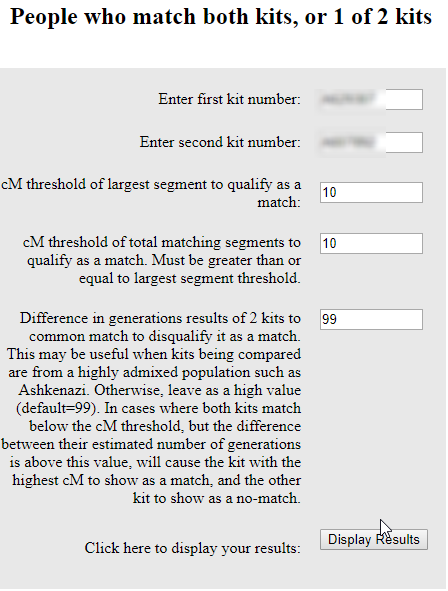
Choosing ‘Display Results’ gives me this:

There are perhaps 100 or so of these results. The way these people match me are on the first ‘Shared’ column. The way they match Joyce is found in the second column marked ‘Shared’. I would like to go down to about 15 cM with my matches. The problem with this list is that there are no names. I do, however, have Gedmatch numbers and emails. I copied my shared matches with Joyce that matched me down to 15 cM. That was 151 matches.
Working with MS Access
It seems that I need to work with MS Access to make this easier. Unfortunately, I’m a little rusty at Access. First I set up a new database in Access. Then I imported my 151 matches with Joyce into Access. Then I copied my ‘One to Many’ match list at Gedmatch into Excel and took out the columns I didn’t need. Then I imported that spreadsheet into Access also. It sounds like a lot of work, but it saves time in the long run.
My pared-down Gedmatch Spreadsheet looks like this:
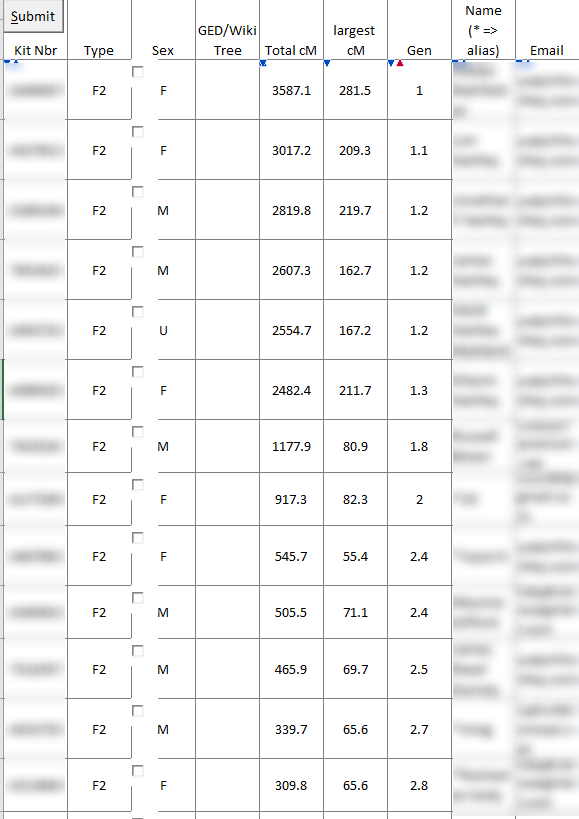
It’s too difficult to get rid of the buttons, check boxes, and arrows, so I just leave them there.
Here is what my two tables look like in Access:

I just need to connect these two tables by the Gedmatch ID#. That will create a new table with the Gedmatch ID# and name.
Here is the design of my query:
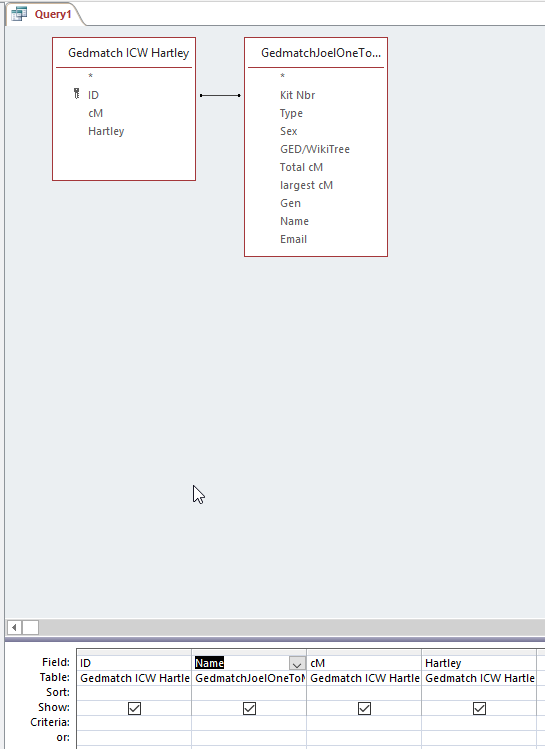
The ID is the Gedmatch # from the People Who Match Both Kits (me and Joyce). One thing that was important was that I added a ‘Y’ in the Hartley column. That was in lieu of a color.
When I view the results, I get this:

I now have Gedmatch ID, name, match amount to me and that they are in the Hartley group. Access tells me I have 151 people in this Query. This saves looking up 151 Gedmatch ID#s and copying and pasting the names into a table.
Carolyn and the Nicholson Clan
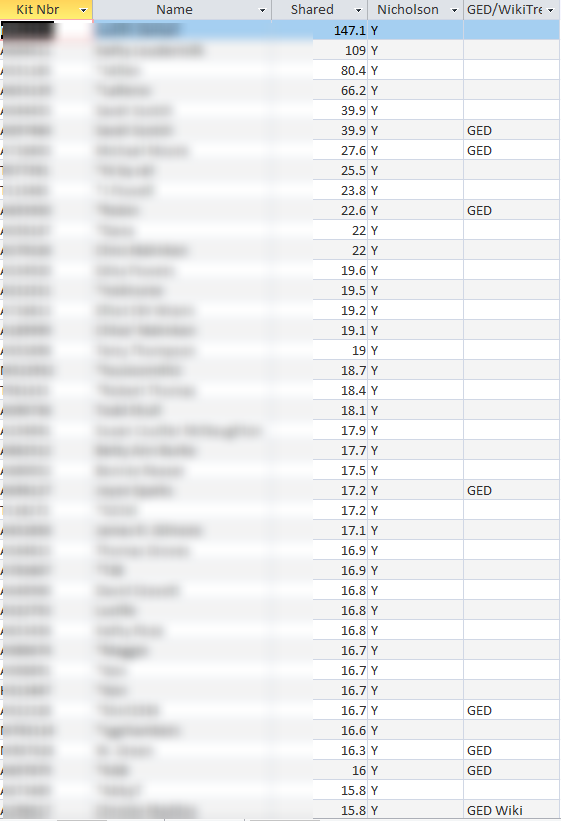
The next non-Hartley on my ‘One to Many’ list is Carolyn. I followed the same procedure for Nicholson, but this time I added in whether the match had a tree at Gedmatch:
Anita and Rathfelder Matches
I did the same for Anita. I chose down to 10 cM on the people that matched both Anita and myself but got this as a result in my Access Query:
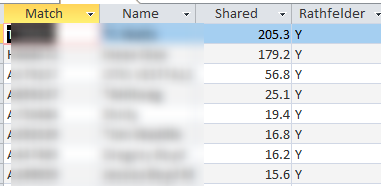
The query showed only the results above 15 cM. This is because my One to Many List at Gedmatch only includes 2,000 matches. Currently, my smallest match on the One to Many list is 13.4 cM. There are a few ways around this. One is to use the Tier 1 list of matches. Another would be to use a list of my maternal matches. However, I will just keep this small list for now. So far, the only problem I see using this method is that I don’t include the original person that I was comparing everyone to. So I need to go back into my list and add in Anita, Carolyn and Joyce.
Emily – Frazer and McMaster
Emily and I share Frazer and McMaster Ancestry. I am able to find 443 matches shared between Emily and myself. These matches correspond with my FTDNA AutoCluster Analysis:
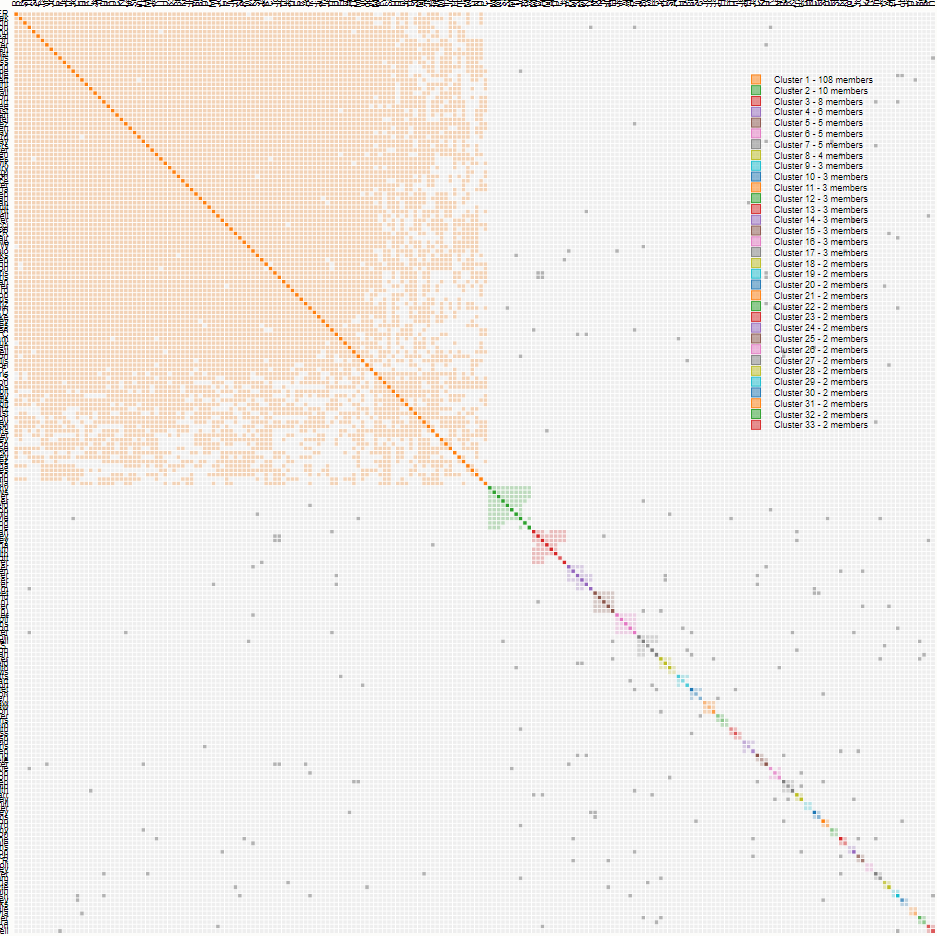
The Frazer cluster above is the first orange one. It corresponds to many matches on Chromosome 20. When I add all these matches, this is what I get:
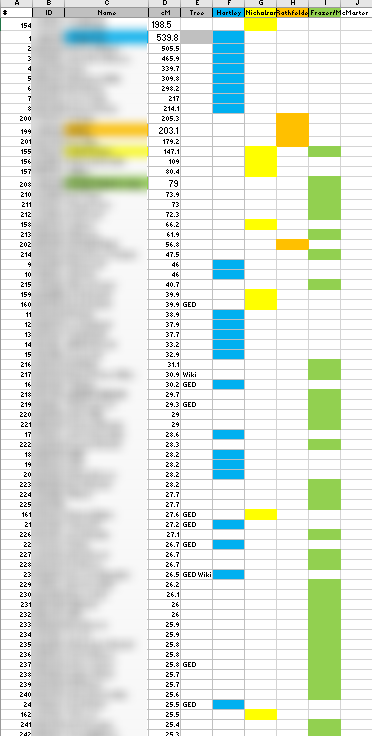
- One surprise is that Judy who is the lead person for Lentz/Nicholson also shows up in the large Frazer/McMaster group. When I run my paternally phased kit, I don’t see Judy on my match list, so there must be some glitch there.
- I am somewhat skeptical of all the green matches.
- The column with the GED/Wiki information should come in handy.
Summary and Conclusions
- I was able to satisfy my curiosity as to what a Leeds Color Analysis would look like for my Gedmatch matches.
- I have made sure that some of my most important matches are posted at Gedmatch.
- This is a good baseline analysis. It may be possible to improve on this analysis by use of paternally and maternally phased results.
- After seeing the results, it turns out that my Rathfelder cousin Catherine had a slightly higher match with me than Anita, so I could have used Catherine’s results to come up with the Color Analysis.
- Using MS Access sped up the process in creating this Gedmatch Color Analysis.
- It would probably help to have an extra column to indicate which matches have a common ancestor with me. Or these people could be highlighted in some way.
I took my advice from the last bullet:
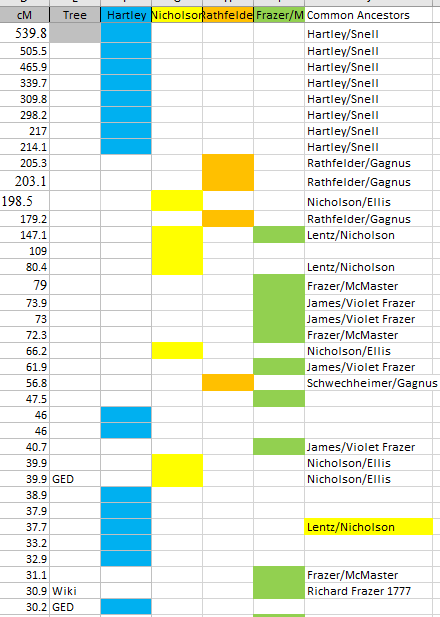
One other anomaly was the that the highlighted Lentz/Nicholson common ancestor for Joshua came out as a blue Hartley shared match. Perhaps there was some glitch with Gedmatch. Below a match level of 30 cM, it is difficult to find common ancestors with a few exceptions.